
Vulnerability Research • NOV 13, 2026
Microsoft Outlook Zero-Day Vulnerability (CVE-2026-124194): How Hackers Can Steal NTLM Credentials
TL;DR: CVE-2026-124194 is an actively exploited spoofing vulnerability in Microsoft Outlook, patched in the November 2026 security updates and added to CISA’s Known Exploited Vulnerabilities catalog on the day of release. A specially crafted Outlook message can make Outlook connect to an attacker-controlled server without showing the expected security warning, exposing the user’s NTLMv2 authentication hash. It is not remote code execution — but in a Windows enterprise, a leaked hash is often the first step toward something much worse.
Overview: What Is Happening?
Microsoft Outlook users are facing a newly identified security threat involving a zero-day vulnerability tracked as CVE-2026-124194.
Disclosed in Microsoft’s November 2026 security updates, this vulnerability could allow attackers to steal NTLMv2 authentication information by tricking users into opening a specially crafted Outlook message file.
The vulnerability is particularly concerning for businesses using Windows-based enterprise environments, where compromised authentication information could create opportunities for further network attacks.
Technical Deep Dive: What Is CVE-2026-124194?
CVE-2026-124194 is a spoofing vulnerability in Microsoft Outlook caused by improper handling of potentially unsafe content. Microsoft classifies the root cause as CWE-356: Product UI Does Not Warn User of Unsafe Actions.
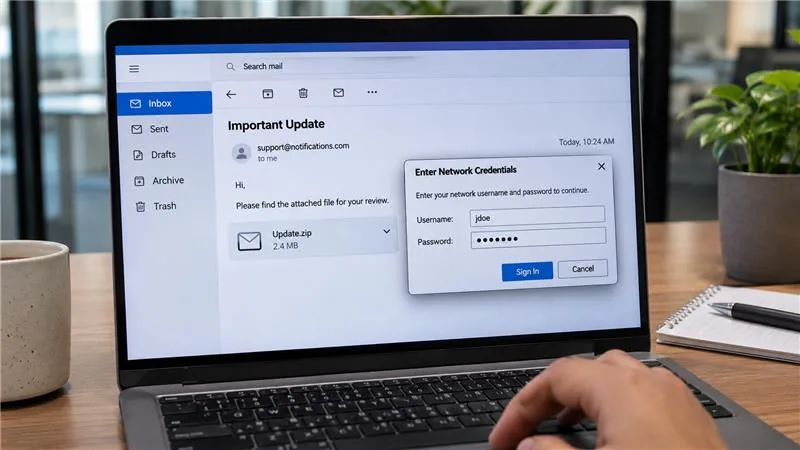
An attacker can send a specially crafted Outlook message file (.msg) to a victim. When the victim opens the file, Outlook may establish a connection to an attacker-controlled server without displaying the expected security warning. This interaction can expose the user’s NTLMv2 authentication hash.
| Title | Microsoft Outlook Spoofing Vulnerability |
| CVSS 3.1 | 6.5 (Medium) — AV:N/AC:L/PR:N/UI:R/S:U/C:H/I:N/A:N |
| Exploitation | Exploited in the wild, not publicly disclosed before release; added to the CISA KEV catalog on 10 November 2026 |
| Preview Pane | Not an attack vector — the user must open the file |
| Affected | Microsoft 365 Apps for Enterprise, Office LTSC 2021, Office LTSC 2024 |
| Fixed in | November 2026 security updates |
The CVSS vector is worth reading closely. Confidentiality impact is high, while integrity and availability impact are none. This is a credential-disclosure flaw, not code execution — the danger lies entirely in what an attacker does with the hash afterwards.
How Does the Attack Work?
The attack generally follows these steps:
- Malicious file delivery: The attacker sends a specially crafted Outlook
.msgfile. - User interaction: The victim opens the file using an affected Outlook version. Simply selecting the message is not enough — Microsoft’s advisory FAQ states the Preview Pane is not an attack vector.
- External connection: Outlook connects to an attacker-controlled network location — without the security warning that should have appeared.
- Credential exposure: The attacker’s server may capture the NTLMv2 authentication response.
- Further attacks: The captured information may be used for offline password cracking or authentication relay attempts.
Successful exploitation could potentially allow attackers to impersonate users and access organisational resources.
That user-interaction requirement is the most important difference from earlier Outlook NTLM leaks, some of which fired when a message was merely previewed. Here, the attack only succeeds if someone deliberately opens an unexpected message file. That is real friction for the attacker — and it means a user who does not open unsolicited .msg attachments is protected even before the patch is applied. Microsoft’s advisory FAQ also confirms the disclosed credential is the user’s NTLMv2 hash.
Why Is This Vulnerability Dangerous?
NTLMv2 is an authentication protocol used in Windows environments. Although passwords are not directly transmitted, exposed authentication responses can still be valuable to attackers.
Potential security risks include:
- Credential theft and account impersonation.
- Unauthorised access to internal systems.
- Active Directory security compromise.
- Lateral movement across enterprise networks.
- Exposure of confidential business information.
The actual impact depends on the organisation’s security configuration and the privileges associated with the targeted account. A hash belonging to a standard user with a strong password is a far smaller problem than one belonging to a privileged account in an environment that still permits NTLM relay.
How Can Organisations Protect Themselves?
Security teams should take the following precautions:
- Apply security updates: Install Microsoft’s relevant November 2026 security updates and verify affected Outlook versions across every channel in use.
- Restrict outbound NTLM: Review and limit unnecessary outbound NTLM authentication. Blocking outbound SMB (TCP 445) at the perimeter removes the most common path for a hash to leave the network.
- Monitor network traffic: Investigate suspicious authentication attempts and unexpected external connections.
- Strengthen Active Directory: Review privileged accounts, authentication policies, SMB signing, and network segmentation.
- Improve email security: Inspect suspicious
.msgattachments and educate employees about unexpected files. Because the Preview Pane is not an attack vector, the user’s decision to open the file is the control point — this is one of the rare vulnerabilities where awareness training directly blocks exploitation. - Conduct security assessments: Regularly evaluate endpoints, internal networks, and authentication configurations.
The GRC & Risk Perspective
This vulnerability highlights why organisations need more than basic antivirus protection. Nothing in this attack chain requires malware to execute — which means signature-based endpoint tools have nothing to detect.
- Patching closes this CVE, not the class. Outlook has carried several NTLM-leaking flaws over the years. The durable control is restricting where NTLM can authenticate to, so the next variant has nowhere to send the hash.
- Measure exposure by privilege, not by headcount. The risk is set by whose hash leaks. Know which privileged accounts read email on the same machines they administer from.
- Relay is the multiplier. A captured NTLMv2 response that cannot be cracked may still be relayed. SMB signing and LDAP signing and channel binding are what turn a stolen hash into a dead end.
- Action Items: Confirm every Outlook installation is on a fixed build, then check one thing at your network edge — can a workstation open an outbound SMB connection to an arbitrary internet host? If it can, this vulnerability, and every future one like it, has a working exfiltration path.
Regular vulnerability assessments, penetration testing, Active Directory security reviews, and continuous threat monitoring can help identify weaknesses before attackers exploit them. Organisations should prioritise security updates, monitor authentication activity, and strengthen their Windows infrastructure to minimise potential risk.
Related Services
Continue Reading